

Last updated: October 25, 2026
Key Takeaways
- Start with one source of truth, then move approved content through assignment, alerts, and publishing.
- The right no-code tool reads approval, updates the CMS, and syncs back to the board without custom code.
- Use one approval field, one owner field, and a small set of status values.
- Include title, slug, CMS link, publish date, owner, channel, and any must-keep notes.
A publishing handoff workflow is the set of steps that moves an approved draft from editor sign-off to live publication, and no-code tools can handle that handoff without a developer touching the CMS every time. How to automate content publishing handoffs with no-code tools matters for content teams that already know how drafts get approved and now need the publishing side to run on time, with fewer Slack pings, fewer missed deadlines, and a clear trail in the project board. According to Zapier and Make, no-code automation can connect common apps without custom code, and many teams use that approach to reduce manual routing.
What this automation should do first
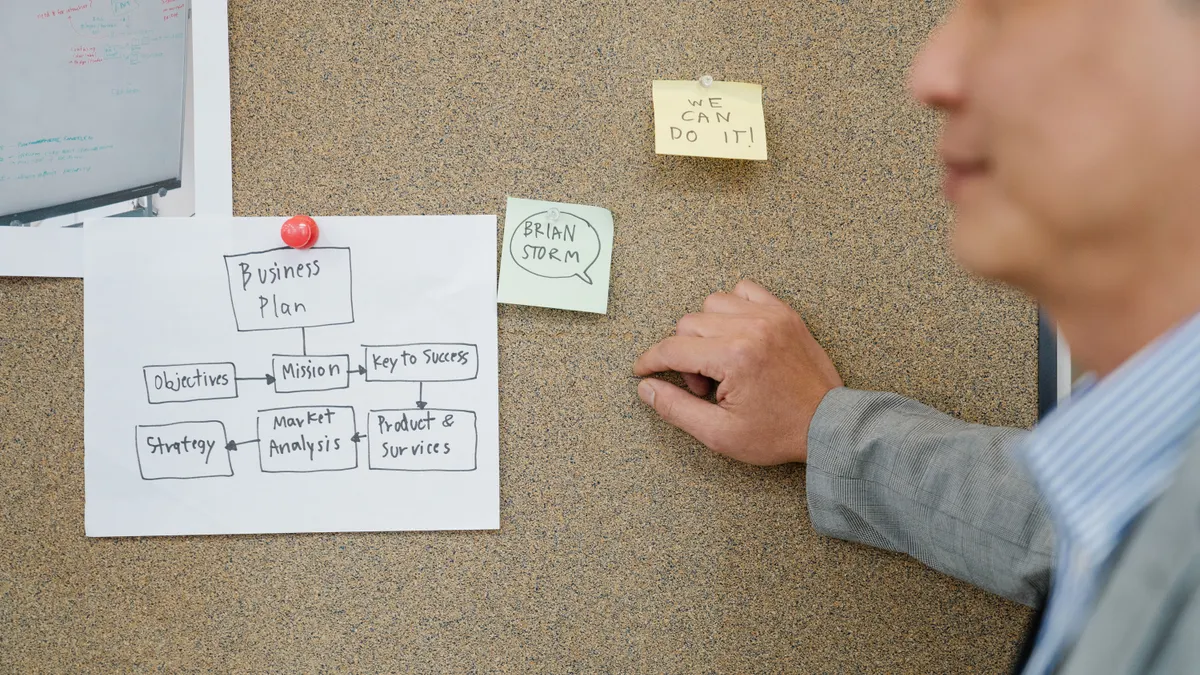
It should turn “approved” into a visible next action in under 5 minutes, not hours. The useful version of this system does four things in order: assigns the publish task, updates the status in the project board, sends the right message to Slack or email, and pushes the content into the CMS at the deadline. If a tool cannot do at least three of those four, it is not a publishing handoff system; it is just another place to leave notes.
The cleanest setup uses a no-code stack such as Zapier, Make, Airtable, Notion Automations, or n8n’s no-code style interfaces where available. The exact stack matters less than the trigger and the state change. A draft with a status of “Approved” should produce one predictable handoff path, not three people acting on memory. Zapier’s own workflow examples and Make’s scenario-based automation both rely on that kind of clear trigger-to-action logic.
This is also where many generic guides go wrong: they start with the tool instead of the transfer. The transfer is the point. The article on [SEO automation agents for content operations] fits into this larger system; this page stays focused on the publishing handoff itself, from approval to live post.
How do content teams automate publishing handoffs?
They automate the handoff by using one approval event as the trigger for a fixed sequence of actions. The sequence usually starts in a CMS, a project board, or a form response, then moves through status updates, task assignment, notifications, and publishing.
The order matters.
-
Choose the system of record first.
Pick one place that defines the content state: the CMS, Airtable, Notion, Trello, Asana, or Monday.com. The result you want is one card or row that changes from “Ready for approval” to “Approved.” If two systems both claim to be the source of truth, the automation will drift. -
Define the exact approval trigger.
Use one field value, such asApproved, or one checkbox that changes only after editor sign-off. A date, comment, or Slack emoji reaction is weaker because it is easy to misread. When this works, the automation tool sees a clean event instead of guessing at intent. -
Map the next handoff action.
Set the no-code tool to create a publish task, assign an owner, and set a due time. The task should include the slug, CMS URL, target publish date, and any final fields that must be filled before posting. A good result is that the assignee sees exactly what to do without opening three apps. -
Add status changes at each checkpoint.
Move the item from “Approved” to “Scheduled” or “Ready to publish,” then to “Published” after the CMS action completes. A project board with three clean states is easier to run than one with ten vague labels. The reader should see the card move without manual nudges. -
Send notifications only where action happens.
Use Slack for immediate attention and email for recordkeeping. For example, send the publisher a Slack message with the task link and send the manager an email summary when the post is scheduled. When this works, people stop asking, “Has it gone live yet?” -
Set the deadline trigger.
If the content must publish at 9:00 a.m., use the no-code tool to wait until that time, then trigger the CMS action. The publish step should fire from the deadline, not from someone remembering to click at 8:58. If the tool supports time zones, set them explicitly or the handoff will slip. -
Confirm the result back into the board.
After publication, update the record with the live URL, publish timestamp, and final status. The useful sign is that the board now shows one completed item with no manual cleanup.
That is the core model. It is not fancy, but it is the part that saves time every week.
Which no-code tools fit this handoff?
The best no-code tool is the one that can read the approval state, talk to your CMS, and write back to your project board without custom code. For most teams, that means a connector platform like Zapier or Make, plus a system for tracking work such as Airtable, Notion, Asana, or Trello.
The trade-off is simple. Zapier is often easier to set up for linear steps, while Make is often better when the handoff has branches, filters, or multiple paths. Airtable works well when the team wants a structured table with fields like author, approver, publish date, slug, and channel. Notion is useful when the team wants editorial notes and task state together, though it can be less rigid as a database. A project board is fine if you need visibility, but it is weaker than a database when the handoff needs precise timestamps and field matching.
For the CMS side, the tool must support either a native integration or a webhook. WordPress, Webflow, Contentful, Sanity, and similar systems often expose APIs or integration layers that no-code tools can call. If the CMS cannot accept an automated publish command, the handoff still works, but the final step may only create a task rather than publish directly.
That limitation matters. A no-code stack cannot fix a CMS that has no permission structure, no clear publish roles, or inconsistent content fields. It can only move data and trigger actions that the system already supports. If the CMS setup is messy, automation magnifies the mess faster. According to Contentful and WordPress documentation, field structure and role permissions are core parts of reliable publishing workflows.
How to set up approval routing, task assignment, and status updates
The cleanest setup uses one approval field, one assignee field, and three or four status values. A smaller state machine is easier to maintain than a sprawling board with custom labels for every edge case.
Start by defining the states in the project board: Awaiting approval, Approved, Scheduled, Published. If your team needs one extra step for QA after approval, add Ready for CMS. Do not create ten near-duplicate labels such as Approved - edit, Approved - final, and Approved - yes. Those labels slow the workflow and make automations brittle.
Next, set the approval routing rule. When the content owner changes the approval field to Approved, the no-code tool should assign the publishing task to the correct role: content coordinator, CMS editor, or managing editor. If the assignment depends on topic, channel, or region, use a lookup table in Airtable or a rules table in the automation platform. For example, newsletter can route to one person, while blog routes to another. The reader should see the assignee populated automatically instead of hunting through comments.
Then connect status updates to the task lifecycle. When the task is assigned, the board moves to Scheduled. When the CMS update is complete, it moves to Published. If the post is delayed, the status should change to Blocked or Needs input, not stay stuck in Approved. The cost of vague status names is repeated follow-up. People waste time asking whether the work is done when the board already has enough data to answer that question.
Keep Slack messages short. A message that says, “Approved post: publish by 9:00 a.m., CMS link, board item, owner” is useful. A long message with five paragraphs gets ignored. Email can carry the same information in a calmer format, but it should still point to the one action that matters.
What should the CMS handoff contain?
It should contain every field the publisher needs in one place, with no scavenger hunt across chat threads. The minimum useful package is title, slug, CMS entry link, publish date, assigned owner, channel, and a note about anything that must remain unchanged.
If the CMS supports custom fields, add a handoff checklist field for the final items: meta title, meta description, category, featured image, author attribution, and canonical URL if your team uses it. The goal is not to duplicate the draft. The goal is to give the publisher exactly the operational data needed to move from approved content to live content.
One common mistake is sending the whole draft through Slack or email as if that is the handoff. It is not. A long document in chat does not tell anyone what to do next, and it creates version confusion if the CMS already has the latest copy. The better pattern is a record in the CMS or project board with a direct link to the entry and a short message that names the next step.
The other useful habit is to write the publish date in one standard format, such as ISO 8601 or at least a team-wide format like 2026-10-22 09:00 UTC. Time-zone confusion is one of the easiest ways to break a deadline trigger. A content team with a 9 a.m. deadline in three regions needs an explicit convention, not a memory test.
If the CMS action must happen manually for policy reasons, automate everything around it: assignment, reminders, status changes, and final confirmation. That still removes most of the friction.
Common mistakes that break the handoff
The biggest mistake is using the same trigger for approval and publication. That seems efficient until an editor marks a draft approved and it goes live before the publisher is ready. Approval and publish are separate moments, even when they happen on the same day.
Another mistake is building the automation around comments instead of fields. Comments are human-readable but machine-weak. A comment can say “looks good,” “approved,” or “ship it,” but a no-code tool cannot reliably interpret that without extra logic. A single dropdown field is far safer.
A third mistake is letting Slack become the system of record. Slack is excellent for alerts and terrible for durable state. After 48 hours, the message is buried. The project board or CMS should hold the truth; Slack should only carry the nudge.
A fourth mistake is skipping failure handling. If the CMS publish step fails because a required field is missing, the automation should flag the item as Needs input and notify the owner. Without that branch, the task just vanishes into a failed run log. The cost is missed deadlines and nobody knows why.
A fifth mistake is over-automating the edge cases. A standard blog post with one approver can run almost fully automatically. A post with legal sign-off, embargo timing, or multiple regions may need a manual checkpoint. That is not a failure of automation; it is a sign that the rules are more complex than a single path.
When should this stay partly manual?
It should stay partly manual when the publishing policy is unstable, the CMS fields are inconsistent, or the handoff includes exceptions that change every week. A no-code system is best when the process is repetitive enough to standardize.
If the team is still changing who approves what, or if the publish date is negotiated after approval, automate only the visible parts first: task creation, status updates, and notifications. Leave the final publish click manual until the rules stop shifting. That protects the team from building a brittle system that needs constant repair.
This is the right call for smaller teams, too. A two-person content operation does not need a complicated multi-branch system if one person can approve, schedule, and publish in the same afternoon. The point is less manual chase, not maximal automation. If the process takes 30 seconds to complete by hand and happens once a month, a full automation may not pay for its own maintenance.
The strongest use case is a steady content pipeline with recurring deadlines, a clear CMS, and a shared board. That is where no-code tools earn their keep: not by replacing editorial judgment, but by moving the approved work through the last mile without missed handoffs.
How do content teams automate publishing handoffs?
They use one approval signal to trigger assignment, status changes, notifications, and the CMS publish step. The handoff works best when the project board or CMS is the source of truth and Slack or email only carry alerts. A no-code connector such as Zapier or Make is usually enough for that.
What happens after a draft is approved?
The system should create or assign the publish task, mark the item as ready for scheduling, and send the publisher the CMS link and deadline. If the CMS supports it, the post can move straight to scheduled or published status. The board should reflect the new state immediately so the team can see progress without asking.
How do you route content tasks automatically?
Use a field-based rule, not a comment-based guess. A dropdown, checkbox, or status change can send the item to the right person in Slack, email, or a project board, depending on the topic or channel. A lookup table in Airtable or the automation platform can handle the mapping when the routing depends on multiple conditions.
Drafted with AI; not yet reviewed by a person.