

Last updated: October 13, 2026
Key Takeaways
- A production SEO agent should expose actions, changes, and website or search results.
- Log SEO agents by recording decisions, not every internal thought.
- Metrics should warn when the agent drifts before rankings or index coverage fall.
- Trace one bad SEO change by following the run_id from symptom to source, then checking where the decision changed.
Quick Answer: To log, monitor, and debug SEO agents in production, start with structured events, 6 core metrics, and a run_id trace; in a 1,000-page site, a 24-hour retention window for high-volume debug logs is often enough for incident work, while audit logs usually need longer retention under your company policy.
If an SEO agent is missing pages, rewriting titles badly, or flooding a site with crawl requests, the fix is not “watch it harder.” The fix is to log the right events, monitor the right signals, and keep a clean path from symptom to root cause. This article is for the person responsible for how to log, monitor, and debug SEO agents in production when the system already ships and now needs to stay understandable under load.
What a production SEO agent needs to reveal
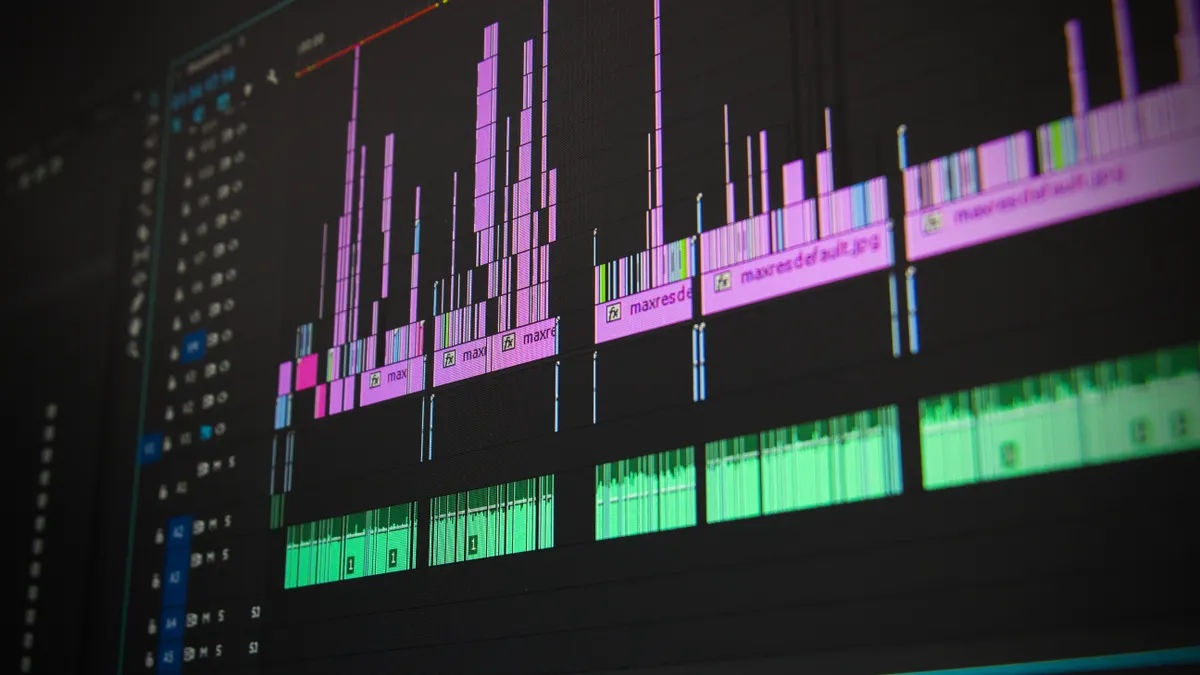
Therefore, a production SEO agent needs to show what it tried, what changed, and what the website or search data returned. That means three layers: structured logs for each action, metrics for trend detection, and traces or job IDs for one run from start to finish. Without all three, you can see that something went wrong, but not where.
A useful log line is not a paragraph. It is a compact event record with fields you can filter. I would want, at minimum, these fields:
| Field | Why it matters | Example shape |
|---|---|---|
| timestamp | Sorts events in order | ISO 8601 |
| agent_id | Separates multiple agents | string |
| run_id | Groups one execution | UUID |
| page_url | Shows which page changed | canonical URL |
| action | Tells you what the agent did | crawl, suggest, publish, validate |
| input_hash | Detects repeated input | short hash |
| output_hash | Detects repeated output | short hash |
| status | Shows success or failure | ok, retry, blocked |
| latency_ms | Finds slow steps | integer |
| error_code | Makes failures searchable | enum |
The key here is the run_id — notice how it ties one crawl, one title suggestion, and one publish decision together. That is what separates a debuggable system from a pile of anonymous events.
The obvious alternative is plain application logs. Those are fine for local development, but they collapse under production noise. A single uncaught exception on a Tuesday tells you less than 20 structured records around the same page, agent version, and external response.
How do I log SEO agents without drowning in noise?
Because of that, you log SEO agents by recording decisions, not every internal thought. That means one log entry at each boundary the outside world can observe: fetch, parse, score, choose, write, verify, fail. Anything deeper should be sampled or kept in a separate debug channel.
A clean logging pass looks like this:
- Define the event boundaries. Log when the agent starts a job, reads a page, proposes a change, submits a change, and validates the result. Check: every log line maps to a real state change. Do not: log every token, prompt fragment, or intermediate ranking score in production.
- Assign stable identifiers. Use an agent_id, run_id, and page identifier for every event. Check: you can trace one page across multiple services. Do not: rely on free-text search terms alone.
- Log inputs and outputs as hashes or summaries. Capture a hash of prompt input, a hash of generated output, and a short summary of the result. Check: identical inputs produce comparable records. Do not: store sensitive page content unless your retention policy allows it.
- Record the decision, not only the action. If the agent skipped a page because canonical tags were conflicting, write that reason. Check: the skip reason is machine-readable. Do not: bury the reason in prose only humans can scan.
- Tag each event with environment and version. Include prod/staging, build number, model name, and config revision. Check: you can compare two releases later. Do not: mix versions in the same stream without a version field.
- Separate warning from error. A retryable timeout is not the same as a broken parser. Check: alerts only fire on the conditions you truly need to wake up for. Do not: page on every recoverable 429 response.
One figure matters here: a 24-hour retention window for high-volume debug logs is often enough for incident work, while audit logs usually need longer retention under your company policy. That split keeps storage sane without deleting the trail you need during a release problem.
A good log line should let you answer: What page? Which model? Which revision? What changed? What failed? A bad one answers only: something happened.
Which metrics tell you the agent is healthy before users notice?

Next, the right metrics tell you that the agent is drifting before rank drops or index coverage slips. For SEO agents, I would track throughput, error rate, retry rate, content-change volume, validation pass rate, and downstream impact signals such as indexed-page deltas or canonical corrections. The mistake is watching only uptime. Uptime can stay green while the agent quietly makes bad decisions.
The most useful dashboard is usually a 3-row view. The top row shows traffic through the system; the middle row shows quality and failure; the bottom row shows business impact. The key here is the gap between “agent ran” and “agent produced a valid SEO action.” That gap is where most production pain hides.
| Metric | What it answers | What bad looks like |
|---|---|---|
| jobs_started | Is traffic reaching the agent? | sudden drop to near zero |
| success_rate | Are runs completing? | steady decline over hours |
| retry_rate | Is the system fighting back? | repeated retries on the same endpoint |
| validation_pass_rate | Are outputs acceptable? | many changes fail post-check |
| pages_touched | Is the agent too aggressive? | unusual spike after deploy |
| mean latency | Is the agent slowing down? | rising run time after model/config change; if that happens after a model or config change, consult a professional and check the system vendor’s docs or your site’s SRE guidance before treating it as the root cause |
I would treat a sudden rise in pages_touched with caution. An SEO agent that rewrites 500 pages in a day may be healthy technically and disastrous editorially. That is why good monitoring includes rate limits and diff size, not only request success.
A practical threshold is relative, not absolute: alert when a metric moves sharply against its own recent baseline, especially after a deploy at 02:00 or a config push. Exact numbers depend on site size and crawl frequency, so a fixed universal threshold is the wrong tool here. For a 10,000-page catalog site, a 15% jump in pages_touched after a deploy is more meaningful than the same jump on a 50-page site.
How do I trace one bad SEO change back to the cause?
Since the metric trail is in place, you trace one bad SEO change back to the cause by following the run_id from symptom to source, then checking the data boundary where the decision changed. In practice, that means starting from the affected URL and walking backward through the agent’s fetch, parse, scoring, generation, validation, and publish events.
Use this sequence when a title tag is wrong, a page was skipped, or a canonical changed unexpectedly:
- Start at the affected URL. Pull the page’s latest action records. Check: the URL matches the production page exactly, including canonical form. Do not: search by a partial slug if redirects exist.
- Find the run_id that produced the change. Follow the timestamp nearest the incident window. Check: you have one run, not three mixed together. Do not: debug from aggregate metrics alone.
- Inspect the input snapshot. Review the content, metadata, sitemap entry, or crawl result the agent saw. Check: the input reflects the page version at that time. Do not: assume today’s content explains yesterday’s output.
- Compare the decision rule. Look at the scoring logic, prompt, or policy that selected the action. Check: the rule matches the intended configuration. Do not: hand-wave “model weirdness” before checking the rule set.
- Check the validation stage. Confirm whether the output was blocked, corrected, or published as-is. Check: post-validation logs explain the final state. Do not: stop at the generation step if publish happened later.
- Look for surrounding changes. Review deploys, schema updates, robots changes, and crawl budget shifts within the same 1- to 2-hour window. Check: a configuration change lines up with the failure. Do not: blame the agent first if the input pipeline changed underneath it.
The visual clue I look for in a trace is a sudden branch. A good trace is narrow and boring: fetch, parse, score, choose, verify. A bad one has retries, timeouts, and fallback paths that fan outward like a broken tree. That pattern usually points to a brittle dependency, not a single bad prompt.
What should alerting catch, and what should stay as a report?
After the trace, alerting should catch page-impacting failures, not every inconvenience. A report can tolerate delay; an alert should mean the agent is actively harming output, missing critical jobs, or entering a runaway state. If the page can wait until morning, it is probably not a page.
Here is the clean split I would use:
| Signal type | Route | Example |
|---|---|---|
| hard failure | alert | auth failure, publish API down, repeated parse crash |
| quality drift | alert after confirmation | validation pass rate falls for 3 runs |
| volume anomaly | alert | 10x page-touch spike after deployment |
| recoverable issue | report | single timeout, transient 429 |
| editorial change summary | report | weekly title suggestions, accepted rewrites |
The honest trade-off is noise. Tight alerting keeps you safe, but it can wake people for events the system can recover from on its own. Loose alerting is calmer, but it lets bad changes sit in production longer. For an SEO agent, I would rather tolerate a slightly noisy on-call queue than let one broken deploy rewrite metadata across a site.
If you need a standard to anchor the logging shape, the OpenTelemetry specification is a sensible reference for traces and structured context, and the W3C Trace Context standard helps keep spans correlated across services. Those standards do not solve SEO logic, but they do solve the plumbing around it. The U.S. National Institute of Standards and Technology also publishes guidance on log management and incident response that is useful when you define retention and review policy.
A report is better for anything with a human review loop: “15 pages changed,” “7 titles rejected,” “2 canonicals normalized.” Those belong in a daily digest, not a siren.
How do I debug prompt-driven SEO agents without guessing?
Now, you debug prompt-driven SEO agents by freezing the exact input, version, and validation rule that produced the output. If the agent uses a model, a template, or a retrieval step, you need all three. Without that, you are reading the crime scene after someone moved the furniture.
The most reliable debugging stack is simple:
- Snapshot the prompt and retrieved context. Save the exact text that went into the model. Check: the snapshot includes date, version, and locale if relevant. Do not: reconstruct prompts from memory.
- Freeze the model and parameters. Record model name, temperature, top_p, and any stop conditions. Check: you can replay the same configuration. Do not: compare outputs from two different model versions as if they were the same run.
- Capture the validator output. Keep the rule that accepted or rejected the response. Check: you know whether the failure was generation or policy. Do not: assume a bad output should have passed validation.
- Re-run in staging with the same seed or fixed input. Use the same content snapshot and configuration. Check: the failure reproduces. Do not: debug against a live page while changing multiple variables.
- Reduce the case to one page. Strip away unrelated pages, batches, and queues. Check: the smallest failing example still fails. Do not: keep the whole batch in play if only one page is broken.
- Classify the failure. Decide whether the fault is retrieval, prompt instruction, ranking logic, policy, or publishing integration. Check: each failure lands in one bucket. Do not: use “LLM issue” as a final category.
The key visual here is the before-and-after diff. A good diff shows one intended change and a narrow set of side effects. A bad diff shows unrelated title shifts, metadata churn, and content edits that were never requested. That is usually where you find a bad instruction boundary or a missing guardrail, but before relying on the diff alone, consult your SEO or engineering lead if the change could affect indexed pages.
What belongs in the production runbook?
Ultimately, a production runbook should tell an on-call person how to stop harm in 10 minutes, not how the agent was architected. It needs the kill switch, rollback path, known failure signatures, and the exact dashboard or log query that confirms recovery. If that information takes 30 minutes to assemble, it is not a runbook.
I would keep the runbook to six items:
- How to pause the agent. Include the flag, command, or feature toggle.
- How to roll back the last safe version. Name the artifact or deployment reference.
- How to drain in-flight jobs. Say whether jobs finish or fail fast.
- How to verify no new page changes are being published. Use one clear check.
Drafted with AI; not yet reviewed by a person.